
The Leasing Workflow
From the building to the signed lease to the commission check.
- 01PropertyPhotos, spaces, rent roll
- 02ListingLandlord rep signed
- 03LaunchTell every tenant rep
- 04Prospects And ToursCalls, tours, proposals
- 05LeaseSigned, dates tracked
- 06Lease Coming DueThe next pursuit starts
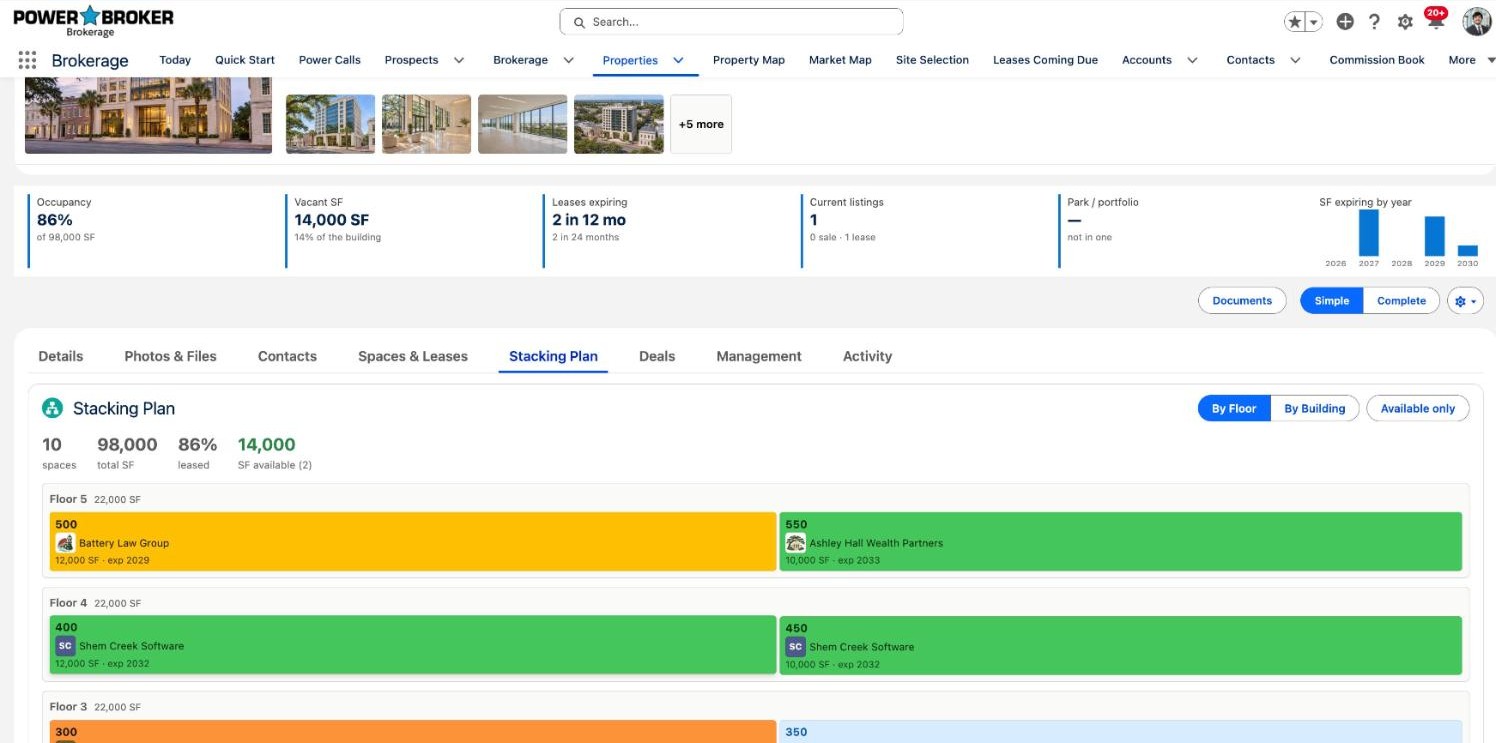
Power Stack
The whole building, floor by floor. Colors show what is vacant and what is coming due.
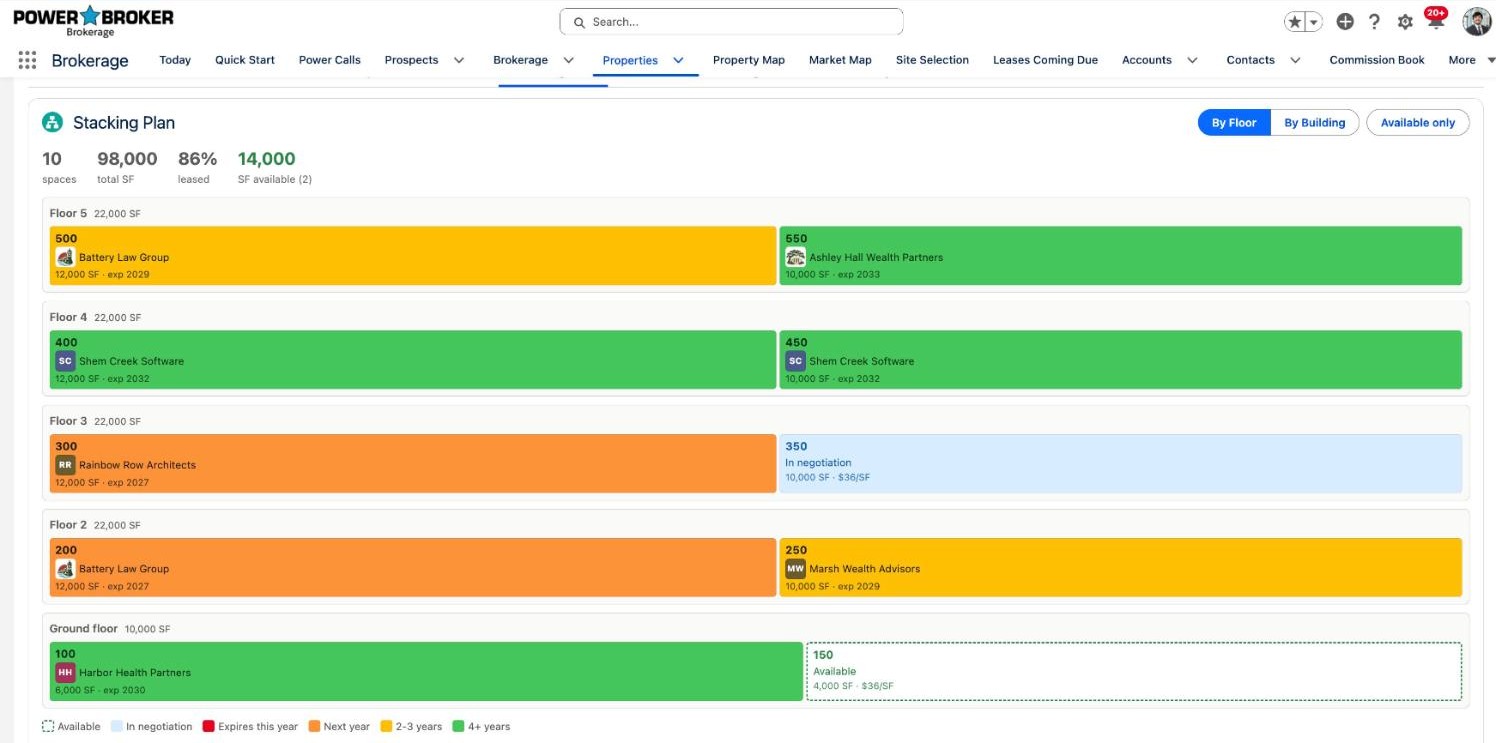
Leases Coming Due
Every expiring lease starts a new pursuit, and the screen says which side you're on. Call before your competitor does.
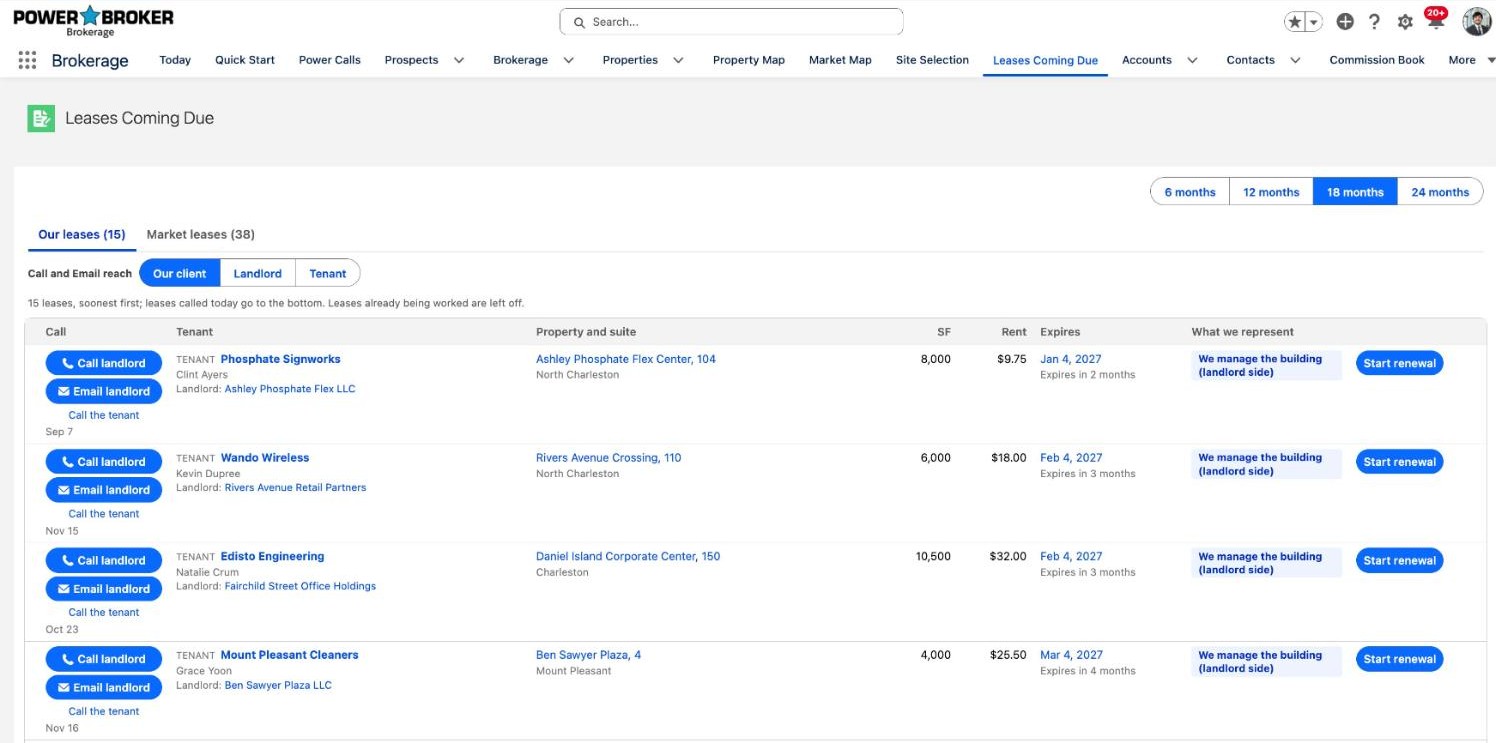
Property, Space, Lease
Every property gets its spaces. Every space gets its lease. Paste a rent roll and the spaces build themselves.
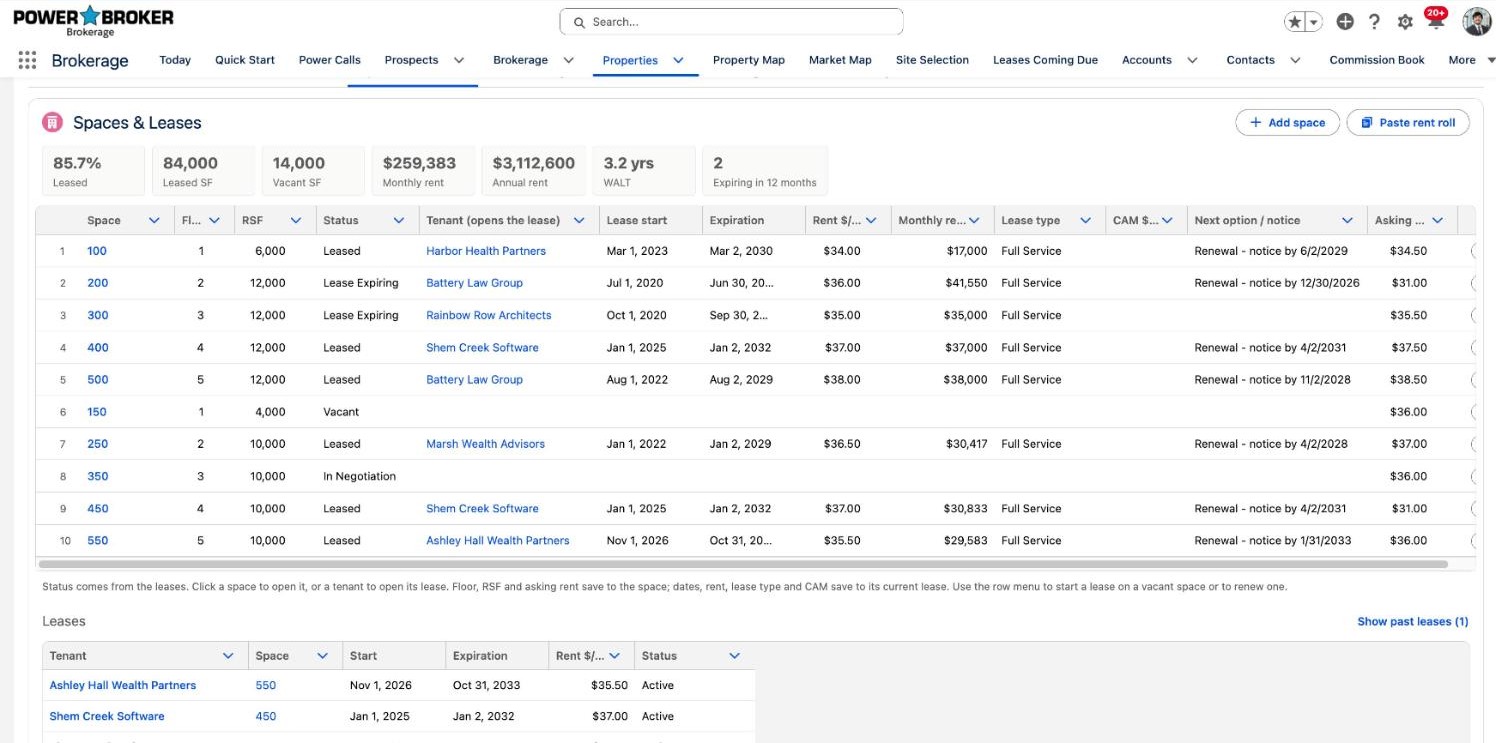
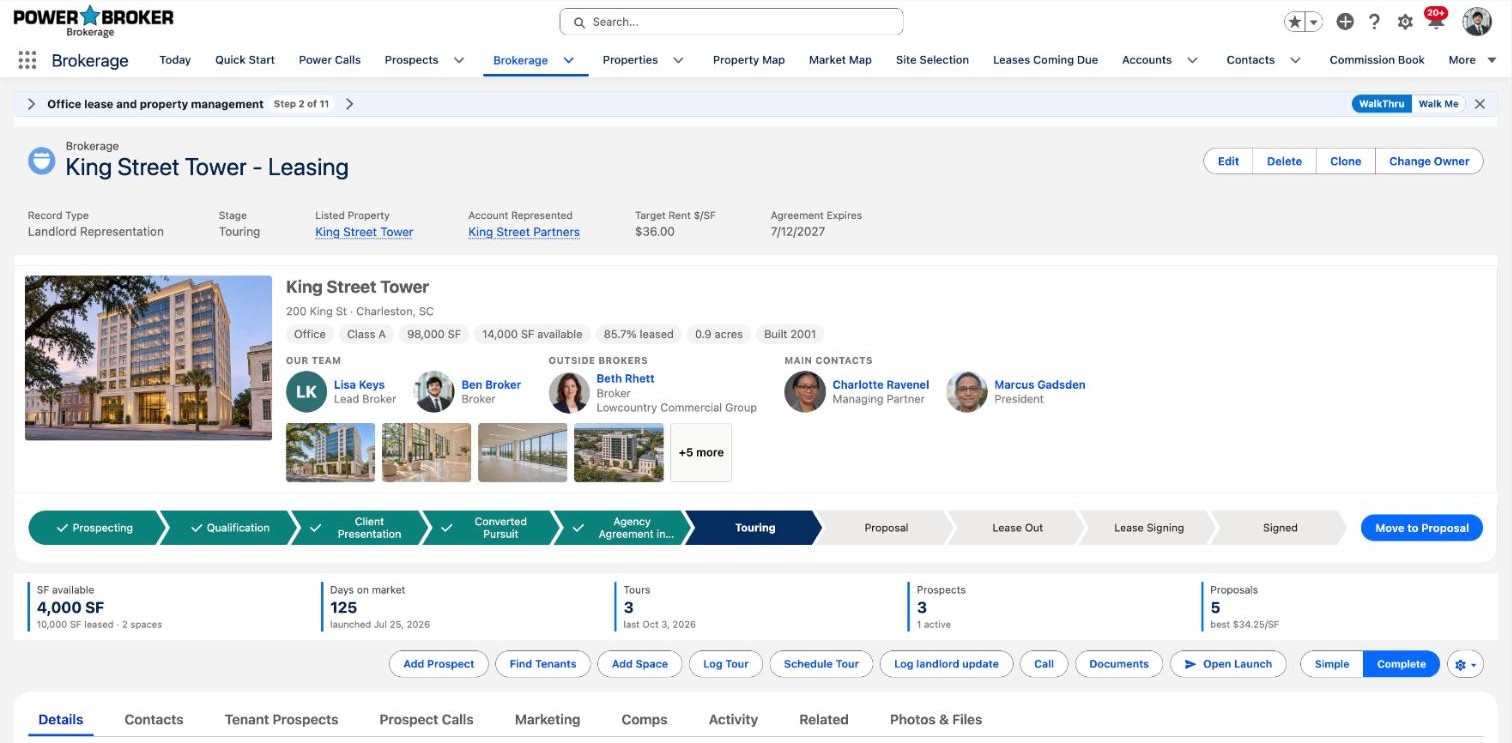
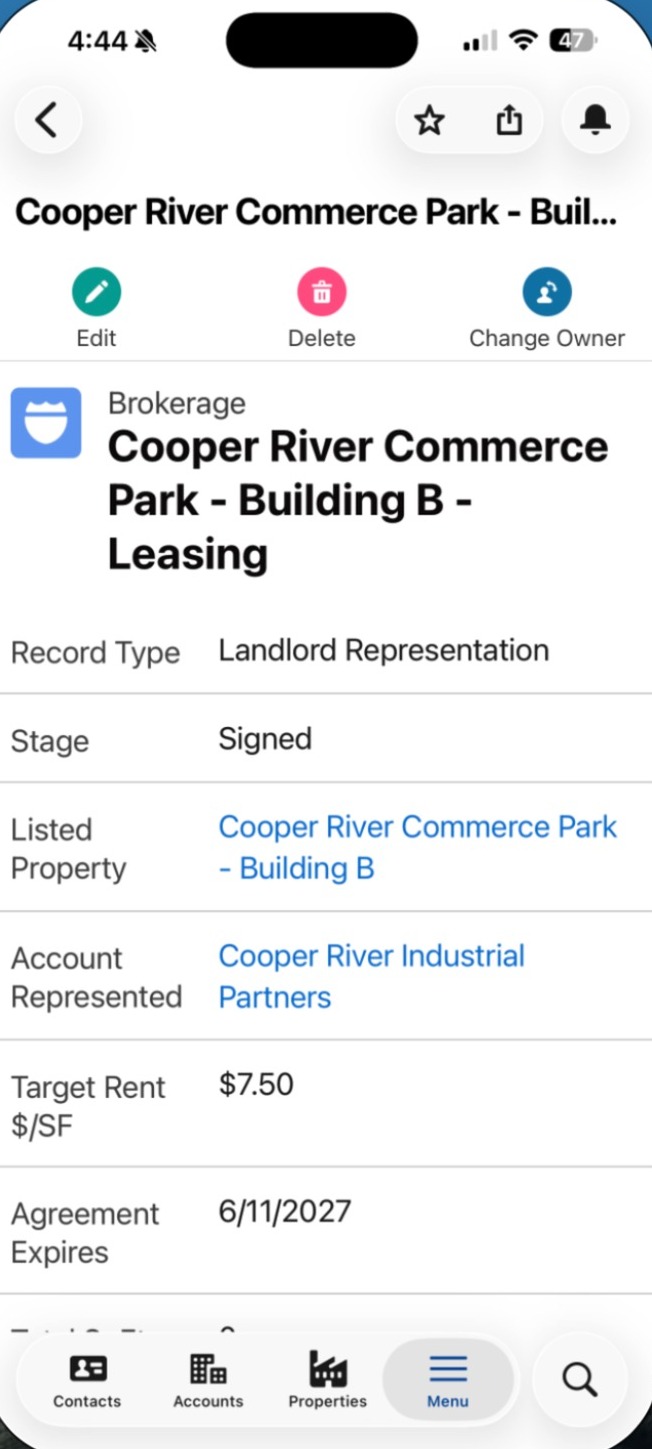
The Leasing Listing
Photos, the team, outside brokers and the deal stages on one screen. Call, email, enter the commission or run documents from the buttons.
The Lease Drives The Commission
Rate, term and dates on the lease. The commission comes right off it, paid at signing, move-in or renewal.
See commissions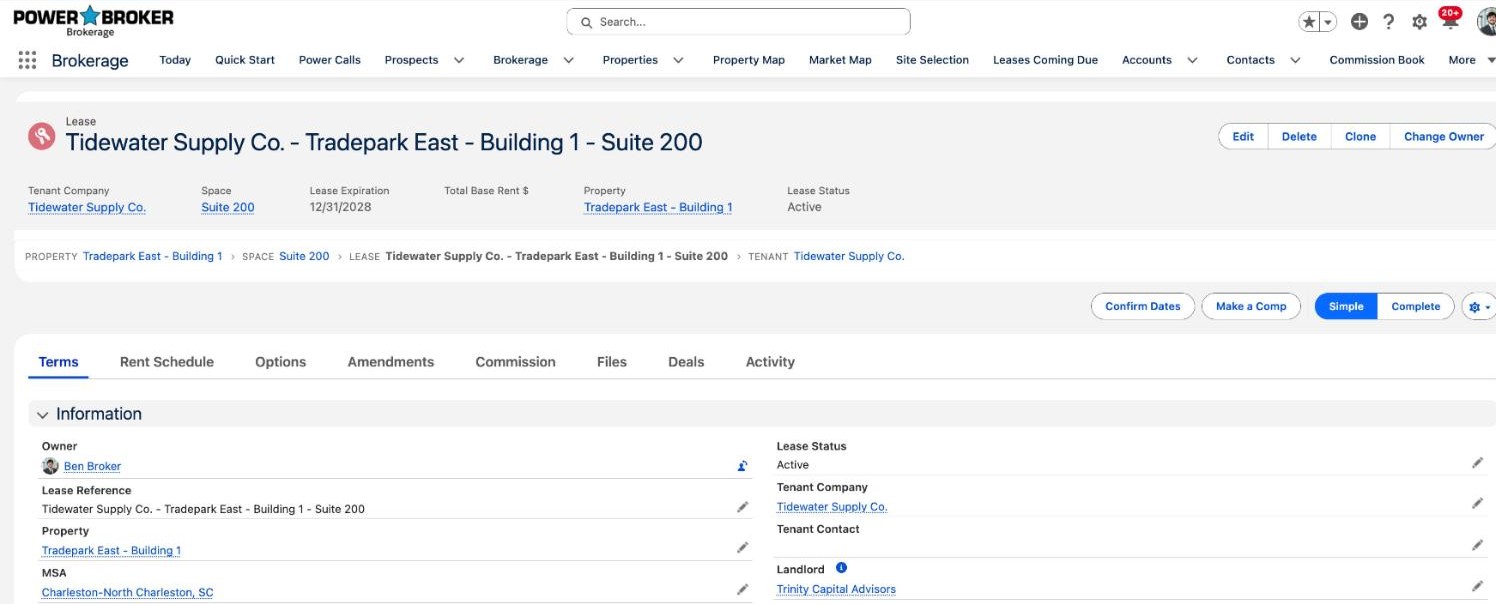
Launch The Space
Photos, flyer and a private listing page go out to every tenant rep on your list. Who opened shows up on the listing.
See Power Launch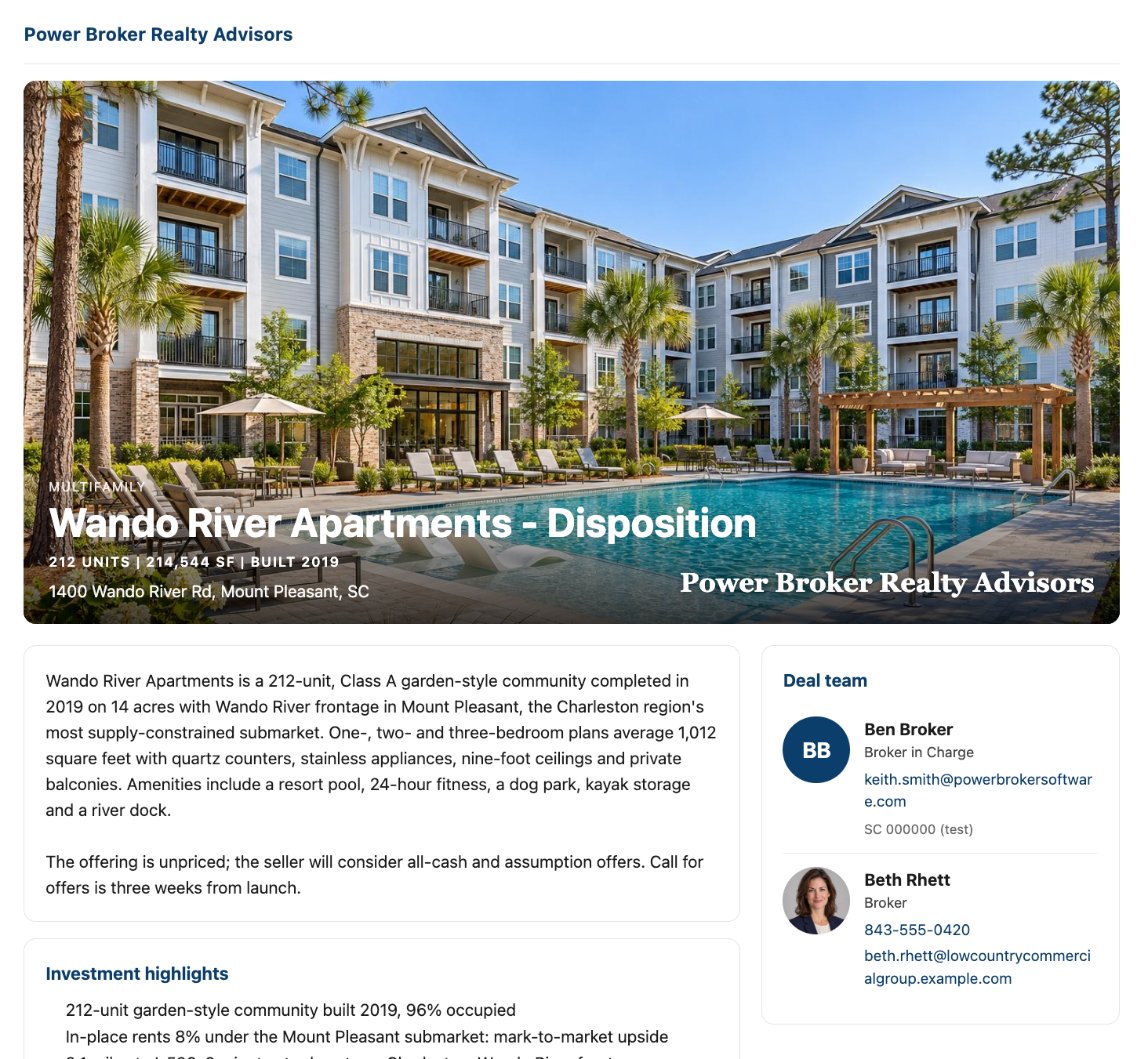
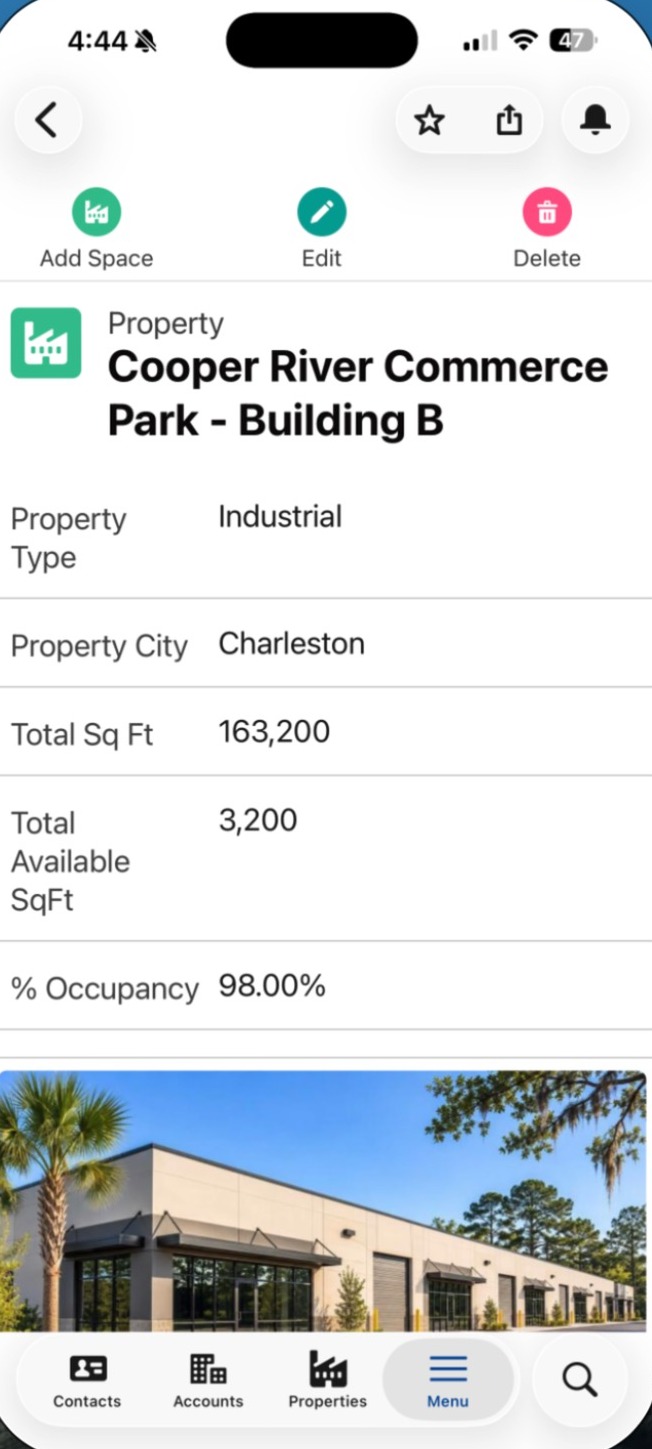
On The Tour
The building, the spaces and the deal on your phone. Add a space or log the tour on site.
Also For Leasing
See Your Building Stacked
Bring one building. We'll load it live.